


Introduction
In today’s fast-paced digital economy, organizations need more than just task management—they need clarity, agility, visibility, and alignment across teams. Whether you're a startup scaling operations or an enterprise optimizing cross-departmental collaboration, having a centralized Work Operating System (Work OS) is no longer optional.
monday.com has emerged as one of the most powerful and flexible Work OS platforms available today. Designed to streamline workflows, automate repetitive tasks, and empower teams with real-time collaboration, monday.com transforms the way organizations manage projects, people, and performance.
This comprehensive guide explores everything you need to know about monday.com—from its core features and advanced capabilities to real-world use cases and strategic advantages.
1. What Is monday.com?
monday.com is a cloud-based Work Operating System (Work OS) that allows organizations to build, run, and scale workflows on a single platform. Unlike traditional project management tools, it is highly customizable, visual, and designed to adapt to virtually any team or industry.
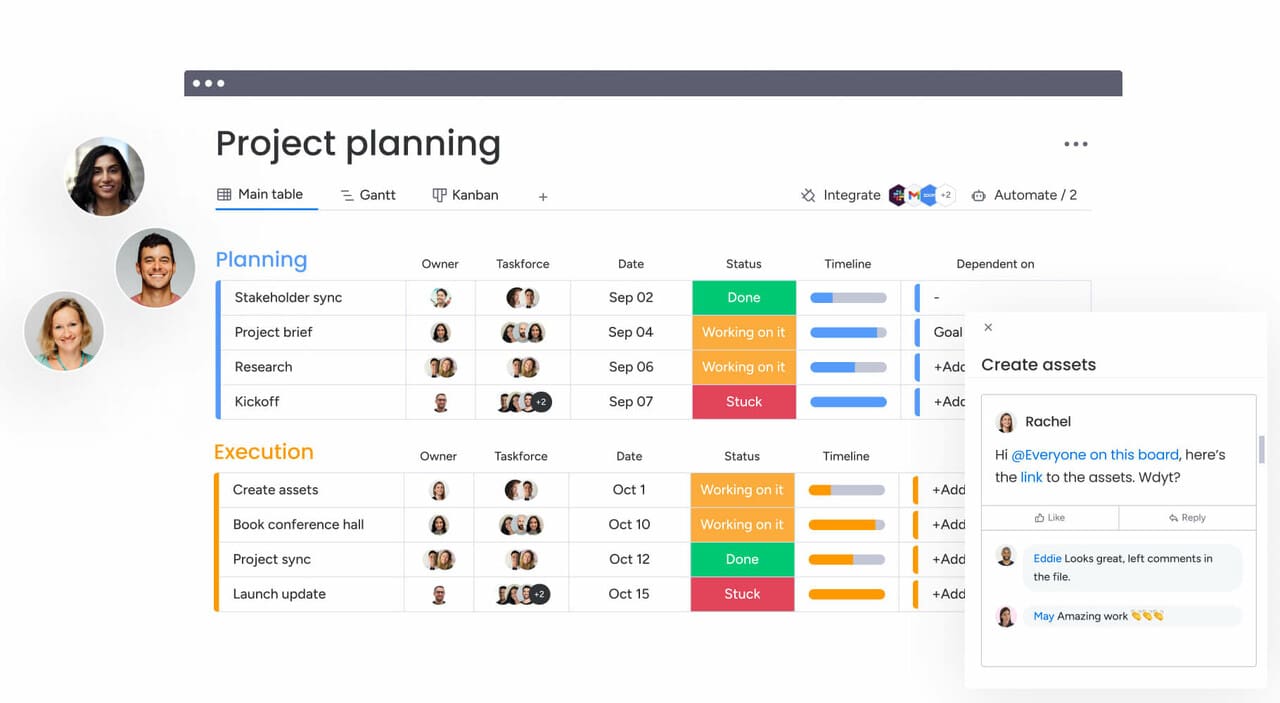
At its core, monday.com helps teams:
Plan projects visually
Track progress in real-time
Automate repetitive processes
Collaborate seamlessly
Integrate with existing tools
Make data-driven decisions
The platform’s flexibility allows marketing, IT, HR, operations, sales, and product teams to design workflows tailored precisely to their needs.
2. Core Features That Drive Productivity
2.1 Visual Boards & Custom Workflows
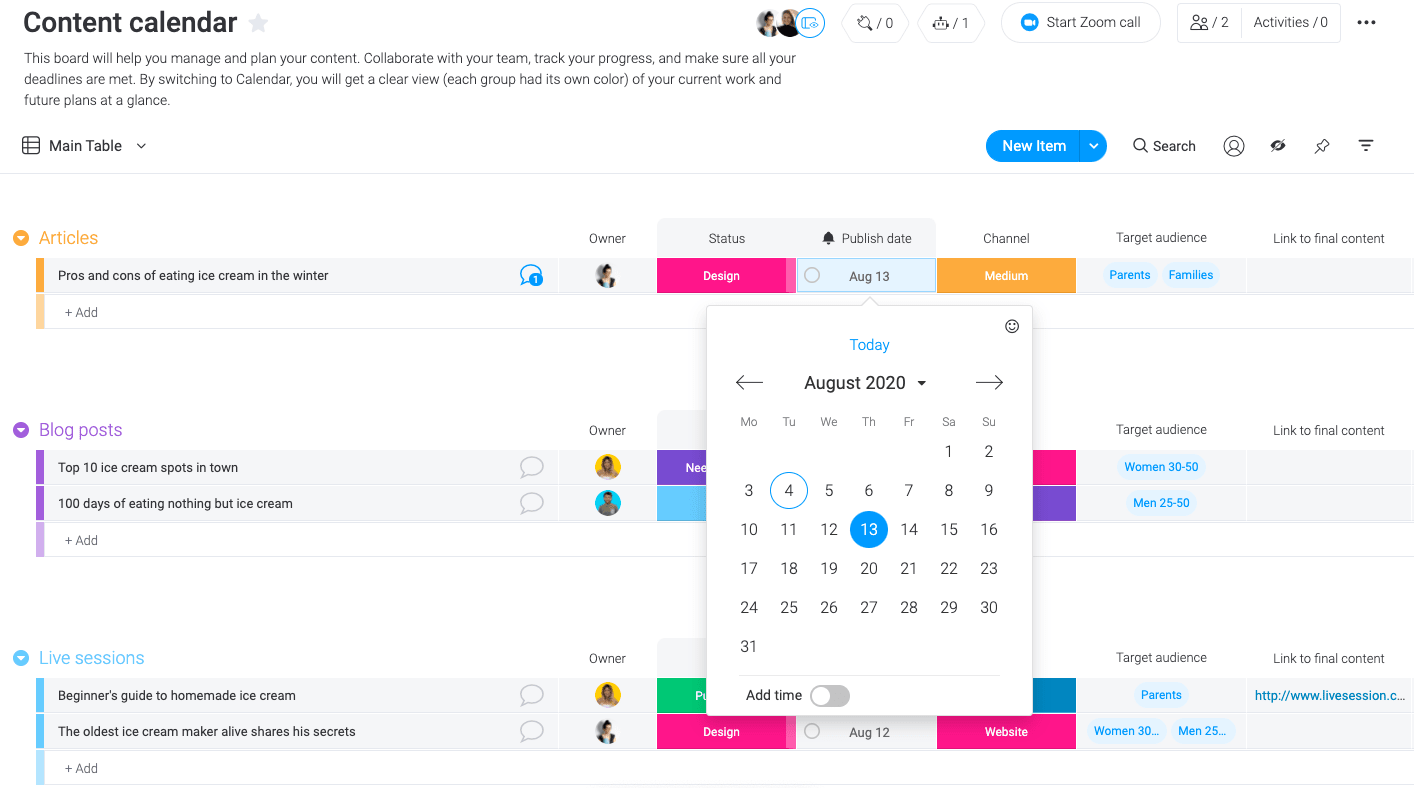
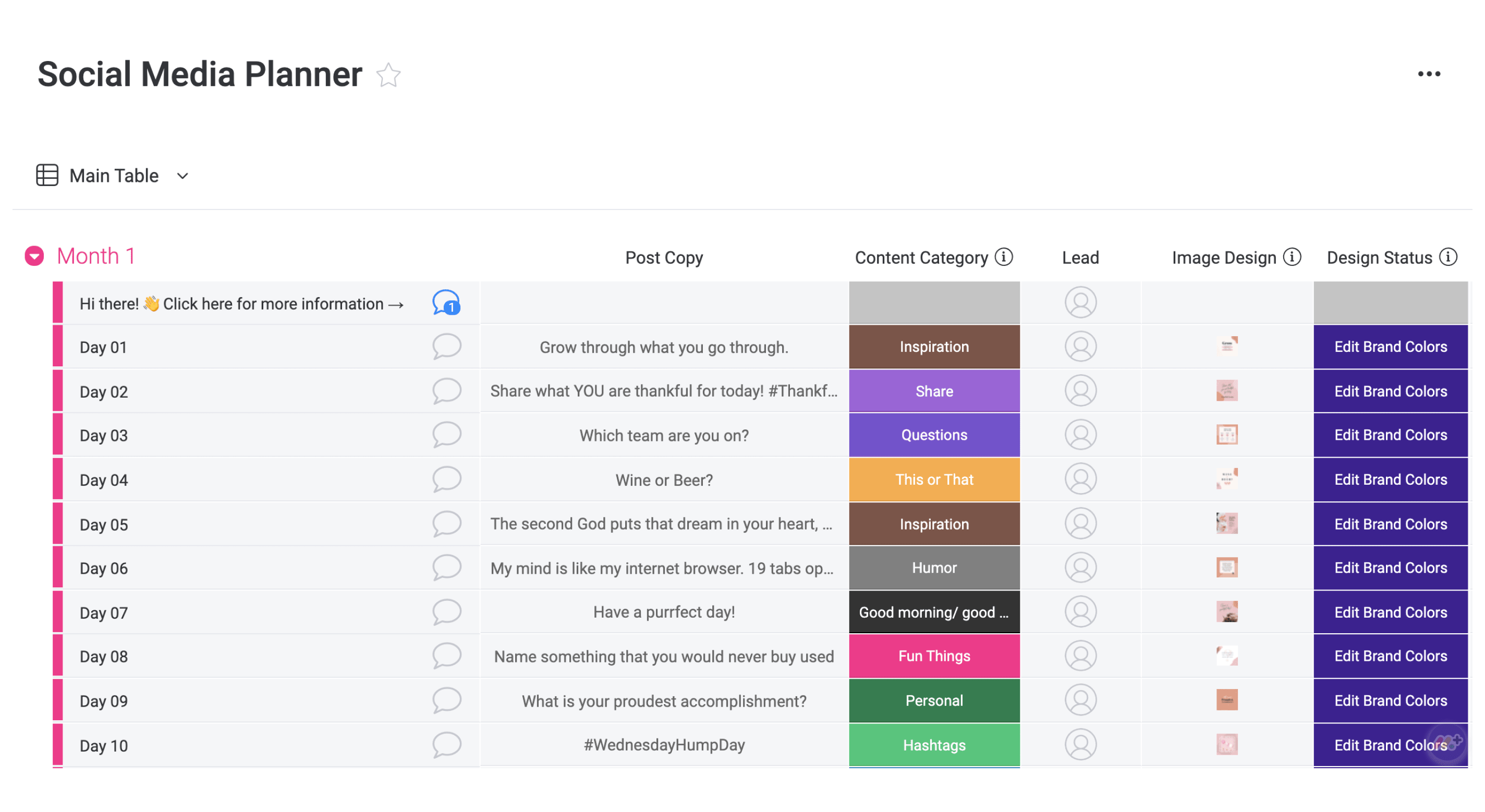
The foundation of monday.com lies in its visual boards. These boards allow teams to manage tasks, projects, campaigns, pipelines, and more.
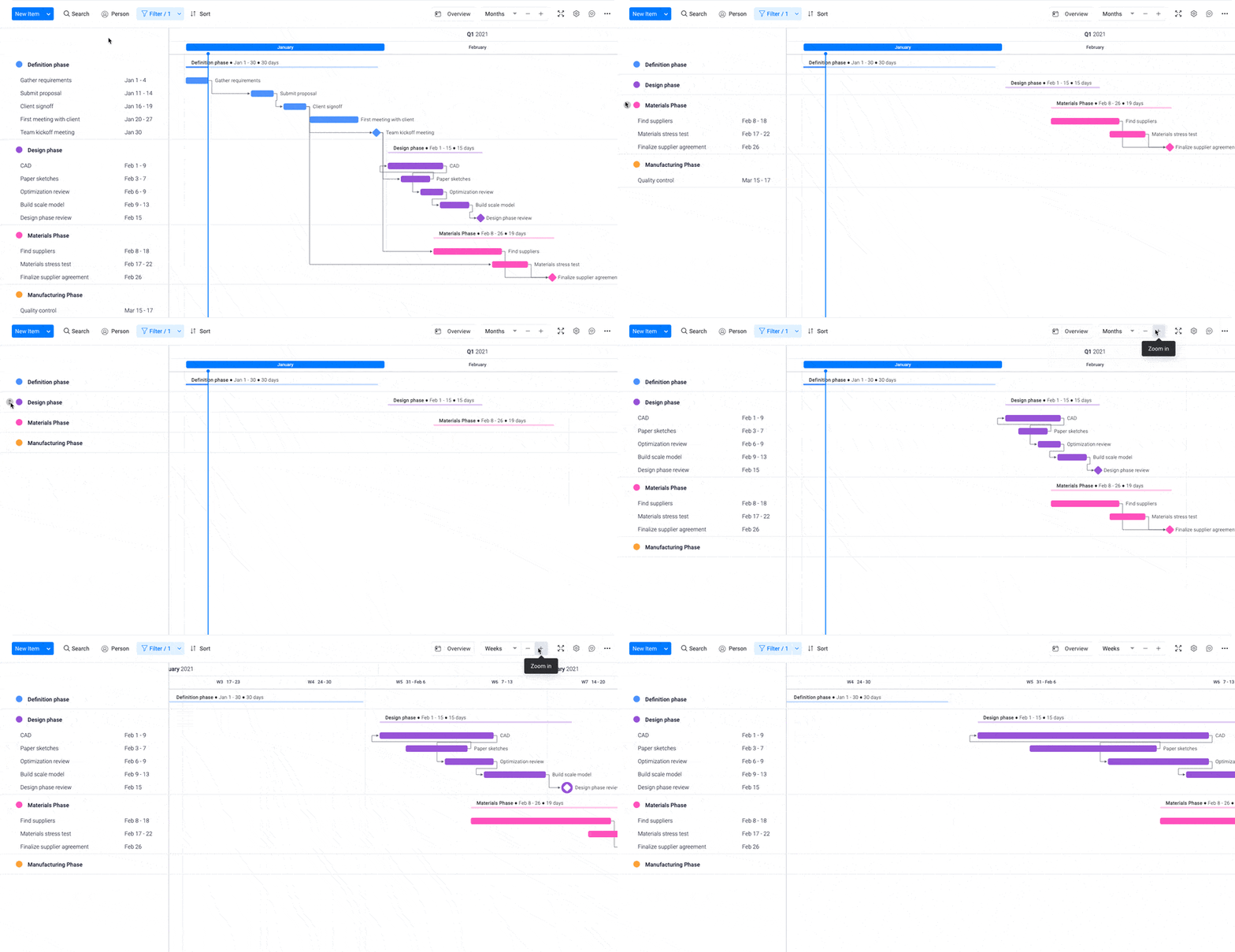
Available views include:
Kanban boards
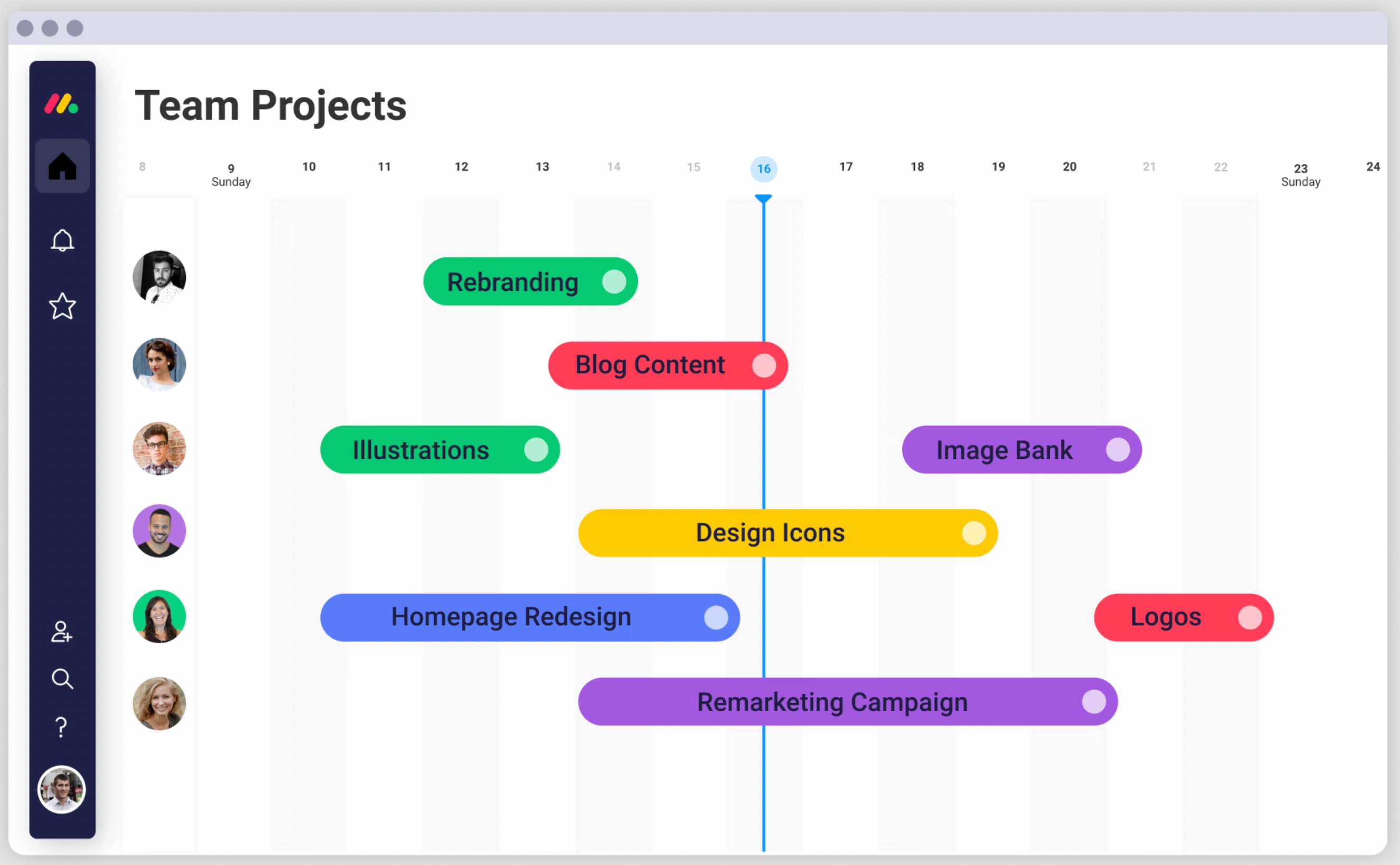
Timeline view
Gantt charts
Calendar view
Table view
Workload view
Each board is fully customizable. You can add columns for:
Status
Deadlines
Assignees
Budget tracking
Priority levels
Dependencies
File attachments
This flexibility ensures that no matter your workflow complexity, the system adapts to your structure—not the other way around.
2.2 Automation Without Coding
One of monday.com’s most powerful advantages is its automation engine.
Users can create custom automations such as:
“When status changes to Done → Notify manager”
“When deadline arrives → Send reminder”
“When new lead is added → Assign to sales rep”
These rule-based automations reduce manual work, eliminate errors, and improve operational efficiency.
For organizations managing hundreds of tasks daily, automation significantly boosts performance and team focus.
2.3 Advanced Collaboration Tools
Modern teams require real-time communication. monday.com enables:
Task-level commenting
@mentions
File uploads
Activity logs
Shared dashboards
Everything happens inside the platform—no scattered emails, no lost updates, no confusion.
This centralized communication improves accountability and transparency across departments.
2.4 Powerful Integrations
monday.com integrates with dozens of widely used tools, including:
CRM systems
Email platforms
File storage services
Communication tools
Marketing automation software
Developer tools
This means you can connect your entire digital ecosystem into one unified workflow hub.
3. Industry-Specific Use Cases
3.1 Marketing Teams
Marketing departments use monday.com to:
Plan campaigns
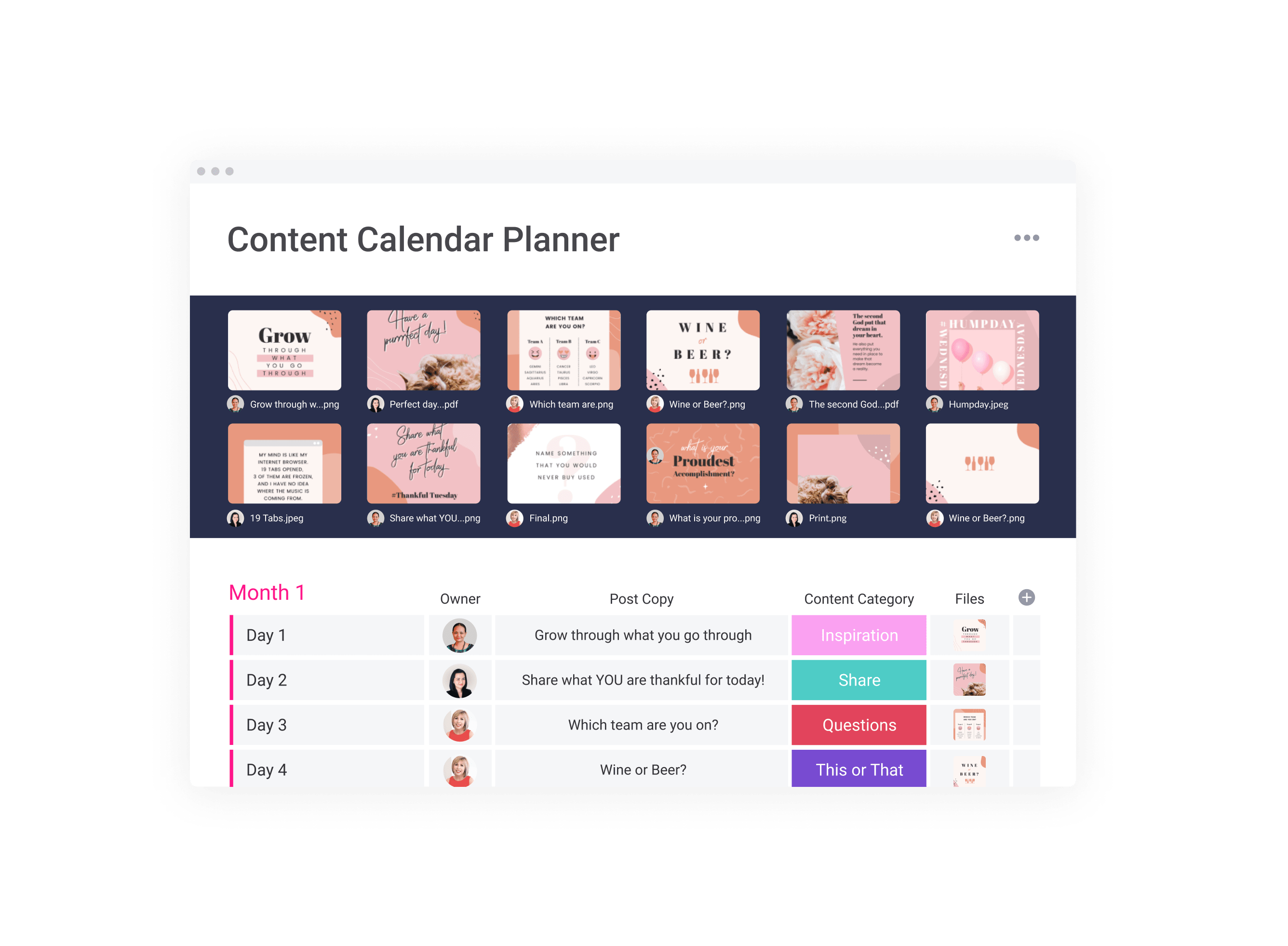
Manage content calendars
Track ad budgets
Coordinate cross-channel initiatives
Monitor performance metrics
The platform enables marketing managers to oversee every campaign phase—from ideation to analytics—within one visual dashboard.
3.2 IT & Development Teams
IT teams leverage monday.com for:
Sprint planning
Bug tracking
DevOps workflows
Feature roadmaps
Incident management
Its timeline and workload views help teams balance resources and meet delivery deadlines efficiently.
3.3 HR & Operations
HR departments use monday.com to manage:
Recruitment pipelines
Employee onboarding
Performance reviews
Internal requests
Policy tracking
Operations teams rely on it for:
Process management
Vendor tracking
Logistics planning
Inventory workflows
4. Strategic Advantages for Businesses
4.1 Scalability
From 5-person startups to global enterprises, monday.com scales seamlessly. As your organization grows, you can expand boards, automate processes, and integrate additional systems without rebuilding your infrastructure.
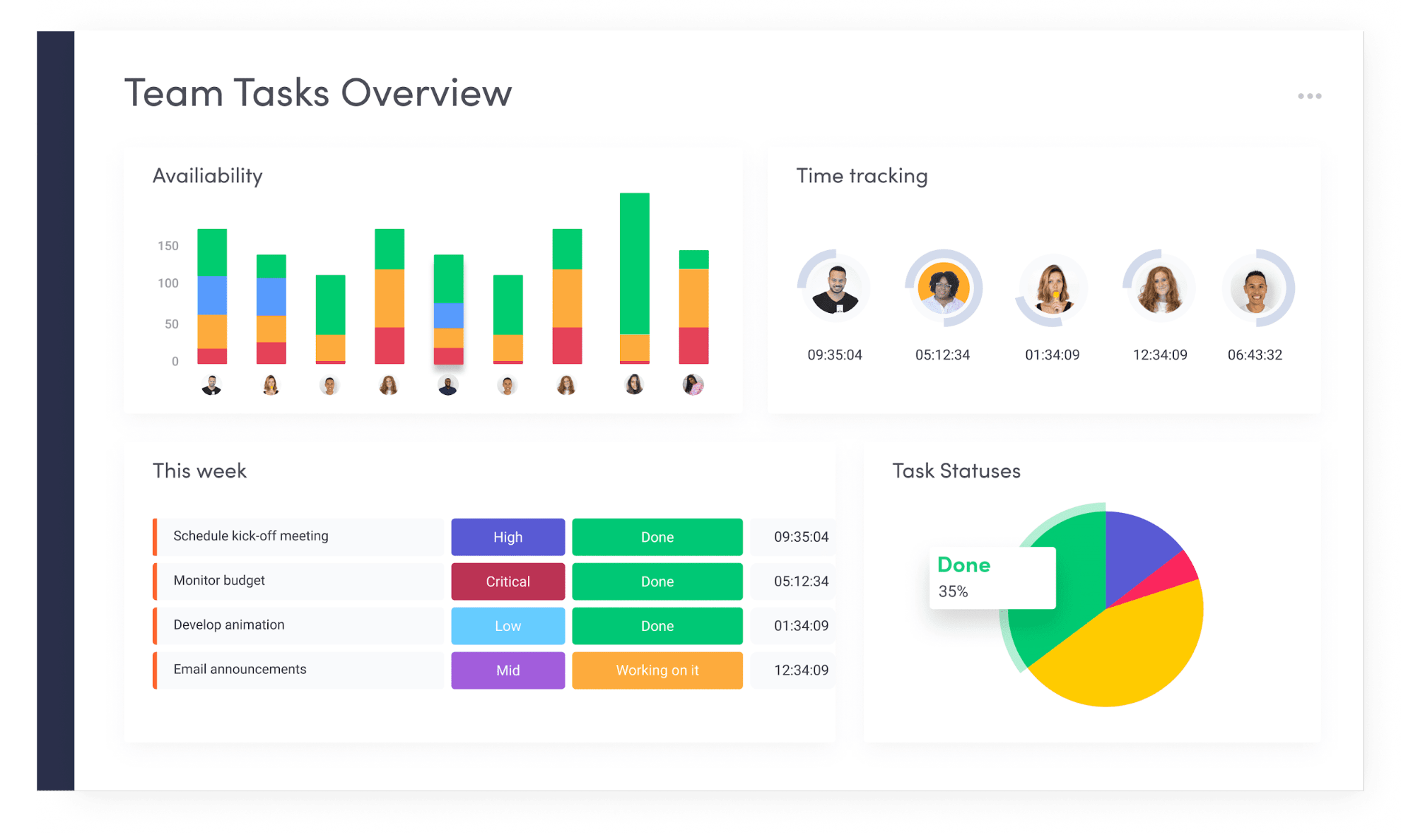
4.2 Data-Driven Decision Making
Custom dashboards allow leaders to track:

Project health
Budget performance
Team productivity
Bottlenecks
Forecasting insights
This real-time visibility supports faster and smarter decisions.
4.3 Enhanced Transparency
Because all workflows live in one platform, stakeholders gain clarity across teams. Managers can instantly view progress, identify delays, and intervene proactively.
4.4 Security & Reliability
monday.com offers enterprise-grade security features including:
Role-based permissions
Data encryption
Activity logs
Compliance standards
For companies handling sensitive data, this ensures operational confidence.
5. Why monday.com Stands Out in the Market
While many project management tools focus on task tracking alone, monday.com differentiates itself by offering:
A fully customizable Work OS
Visual-first user interface
Advanced automation
Enterprise scalability
Cross-functional adaptability
It is not merely a project management tool—it is an operational backbone.
6. Implementation Strategy for Maximum Impact
To successfully implement monday.com in your organization:
Step 1: Define Workflow Objectives
Identify inefficiencies, bottlenecks, and communication gaps.
Step 2: Design Custom Boards
Build boards aligned with actual business processes.
Step 3: Automate Repetitive Tasks
Implement automation rules early to increase ROI.
Step 4: Train Teams
Ensure proper onboarding and documentation.
Step 5: Monitor & Optimize
Use dashboards to continuously refine workflows.
7. The Future of Work with monday.com
As remote and hybrid work models continue to grow, centralized digital collaboration platforms are becoming essential. monday.com enables distributed teams to operate with alignment, clarity, and measurable performance.
Its adaptability ensures it remains future-ready—capable of evolving alongside technological shifts and organizational demands.
Conclusion
In a business world defined by speed and complexity, operational clarity is a competitive advantage. monday.com provides the infrastructure organizations need to build transparent, efficient, and scalable workflows.
From marketing campaigns to enterprise operations, from startups to multinational corporations, the platform empowers teams to focus on what truly matters—execution, innovation, and growth.
If your organization is ready to eliminate silos, automate inefficiencies, and gain full visibility across operations, monday.com is not just a tool—it is a strategic asset.


















.jfif)


.png)


.jfif)


0 Comments